HackTheBox Academy – Web Fuzzing
(Sections 1 and 2 coming soon)
NOTE: I have blurred out any secret values and flags. There are plenty of walkthroughs that chose to leave them in there, but I think half the fun is figuring it out. Hopefully this helps you get unstuck while you’re working through the module yourself.
3.1 Parameter and Value Fuzzing
GET Parameters : Openly Sharing Information
https://example.com/search?query=fuzzing&category=securityWhen you see GET parameters in the URL (following a question(?) mark, this is often a signal that you can modify the request to retrieve different information. In web application testing, I would check for tenant and user enumeration, along with information I shouldn’t be able to access with my provided permissions.
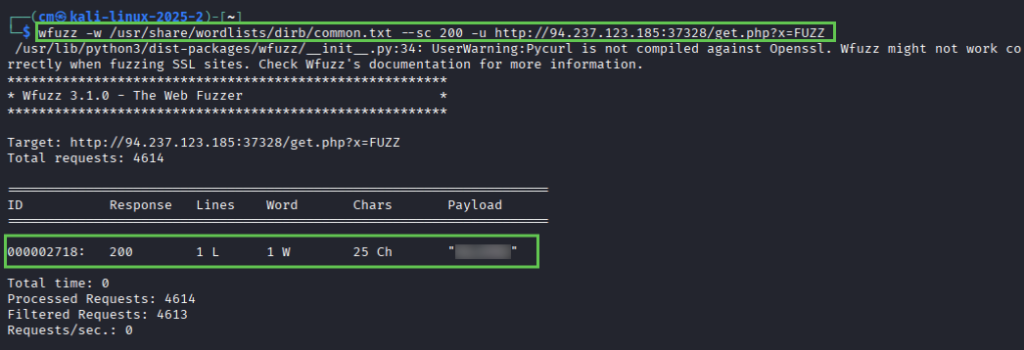
The tutorial instructs us to use wenum, but as I don’t already have that installed on my machine I’m using wfuzz. It’s a similar tool. Using the equivalent command and recommended wordlist, we get a successful response.
Remember – your IP, port, and wordlist location is likely different than mine.
wfuzz -w /usr/share/wordlists/dirb/common.txt --sc 200 -u http://94.237.123.85:37328/get.php?x=FUZZUsing cURL, we can retrieve the flag for question 1.
curl http://94.237.123.185:37328/get.php?x=XXXX
Next, we are given some information on POST requests. Unlike a GET request, which (like the name) retrieves information, a POST request sends data. This can be a login portal (username and password), a form, or even a blog post. The parameters are in the body of the request, unlike our example get request which had parameters in the URL portion.
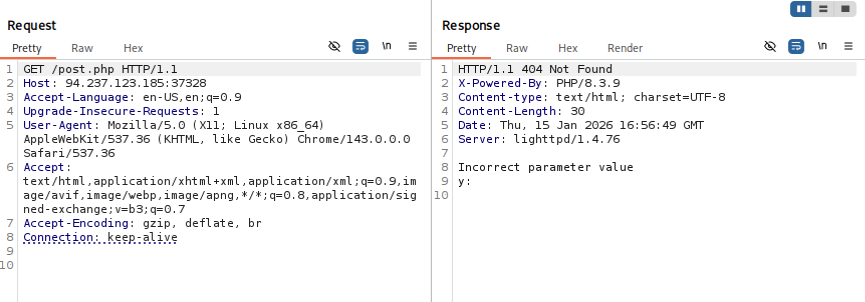
Next we use FFUF (one of my favorite tools) to fuzz the post parameter y. Note the content-type flag – it will not work without it. I tried finding a list of acceptable content-types on FFUF’s github page, but for now we just take HTB’s word for it.
ffuf -u http://94.237.123.185:37328/post.php -X POST -H "Content-Type: application/x-www-form-urlencoded" -d "y=FUZZ" w /usr/share/wordlists/dirb/common.txtThis results in one successful result
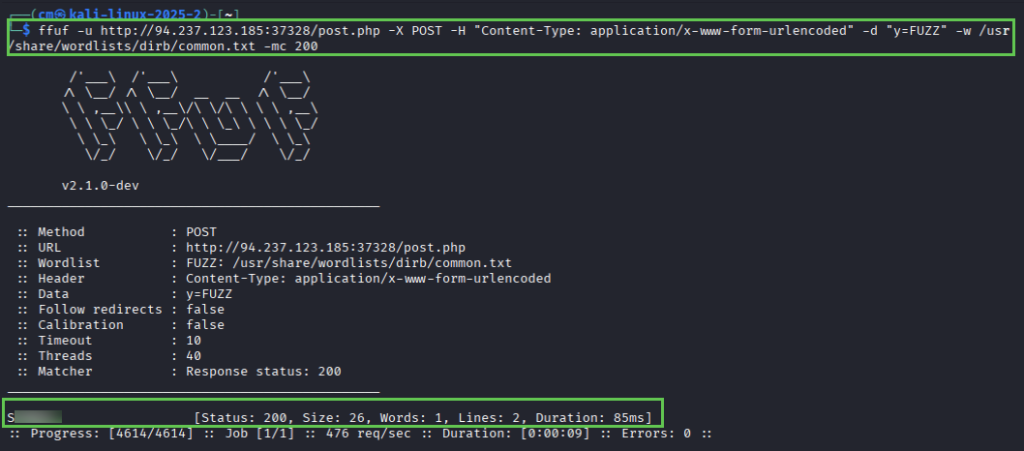
And voila! We have our second flag.
curl -d "y=Sxxxxxx" http://94.237.185:37328/post.php
4.1 Virtual Host and Subdomain Fuzzing
Subdomains vs virtual hosts (vhost)
- Identification: Vhosts are identified in the HOST header in a HTTP request, where subdomains are identified by DNS records.
- Purpose: Vhosts are used to host multiple websites on a single server, subdomains are used to organize sections/services within a website.
- Security risks: misconfigured vhosts can expose internal applications or sensitive data, subdomain takeover vulnerabilities can occur if DNS records are mismanaged
Gobuster vhost fuzzing command
gobuster vhost -u http://inlanefreight.htb -w /usr/share/wordlists/dirb/common.txt --append-domain
For question 1, we are asked to simply fuzz vhosts for the provided target. NOTE: You will need to edit your hosts file and use the url http://inlanefreight.htb in the above command.
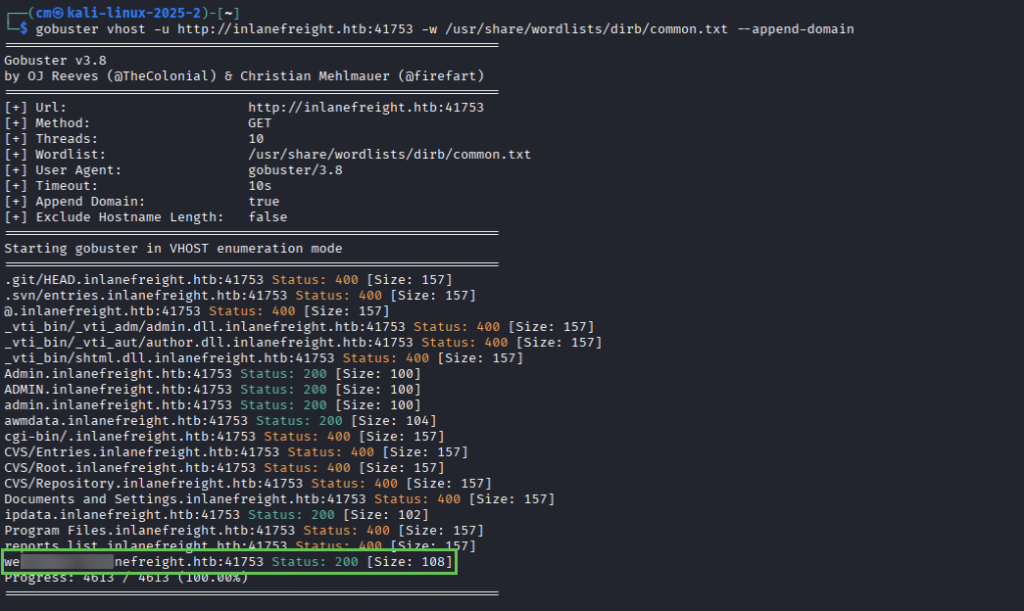
For question 2, we need to repeat the process but instead of vhosts we are fuzzing for subdomains. The syntax is:
gobuster dns --domain inlanefreight.com -w /usr/share/wordlists/amass/subdomains-top1million-5000.txtNote: the module uses -d, but gobuster now uses -d for delay so the correct syntax is –do or –domain. ALSO – this one is .com not .htb
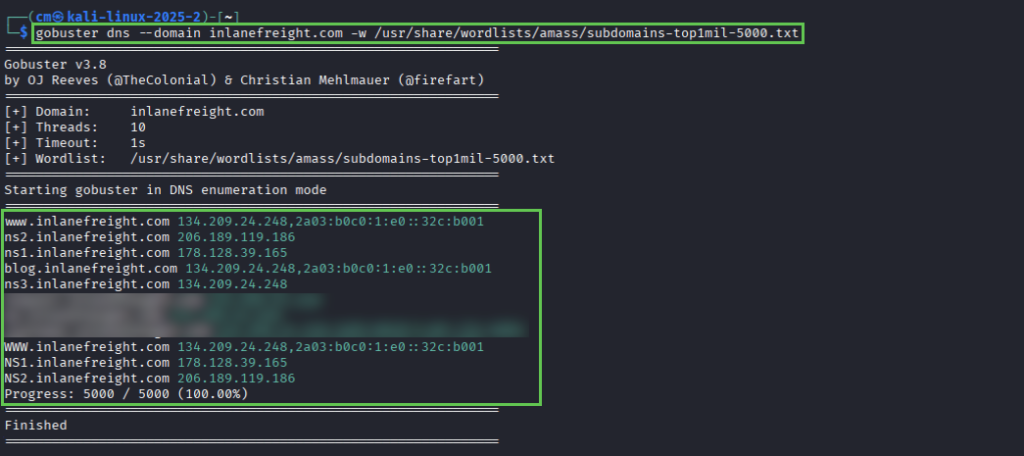
5.1 Filtering Fuzzing Output
If you’ve used FFUF, Gobuster or wfuzz before you know sometimes you get an insane amount of results. I always will run the command without filters, and then typically filter by size for the default response (such as a redirect to login page with a size of 874).
Gobuster
-s (include) – only include responses with specific status codes (200, 301, etc)no longer valid flag-b (exclude) – exclude responses with specific status codes (404, 403)no longer valid flag- –exclude-length – exclude responses with specific length (0, 874, 1290…)
- –exclude-status – exclude response with specific status (403)
Example:
gobuster dir -u http://example.com/ -w wordlist.txt -s 200,301 --exclude-length 0FFUF
- -mc (match code) – include only specific codes (200, 301)
- -fc (filter code) – exclude specific codes
- -fs (filter size) – exclude specific page size
- -ms (match size) – include only specific page size
- -fw (filter word count) – filter out number of words in response
- -mw (match word count)
- -fl (filter line) – exclude response with specific number of lines, or range of lines.
- -ml (match line)
- -mt (match time) – include only responses that meet a specific time-to-first-byte (TTFB) condition. Used to filter responses with unusually slow or quick responses. ( >500)
Optional exercise:
Fuzz the post parameter for the target. I simply reused the FFUF command from 3.1 part 2. After cURLing the target, I noticed the post parameter was again “y”.
ffuf -u http://94.237.63.174:36026/post.php -X POST -H "Content-Type: application/x-www-form-urlencoded" -d "y=FUZZ" -w /usr/share/wordlists/dirb/common.txt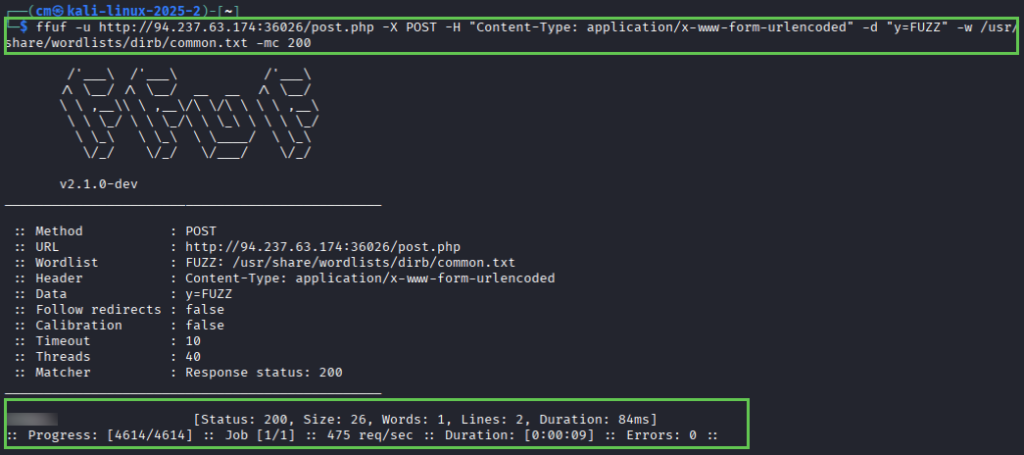

6.1 Validating Findings
Fuzzing can provide potential leads, but not every result is a genuine vulnerability. It’s important to check for false positives (IE, in my job I check discovered domains in browser or with cURL). It’s important to validate any finding tooling reports, in general.
Example: you discover a directory /backup/ while fuzzing a webserver. While this may have returned a 200 response code, you should still enumerate the directory to see if any information actually exists or if it is use.
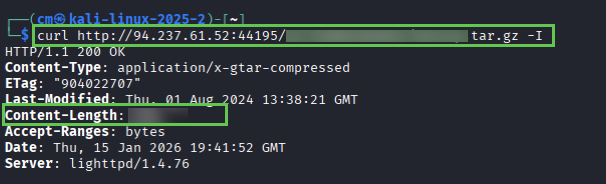
Question 1: Fuzz the target system using directory-list-2.3-medium.txt, looking for a hidden directory. Once found, responsibly determine the validity of the vulnerability by analyzing the tar.gz file.
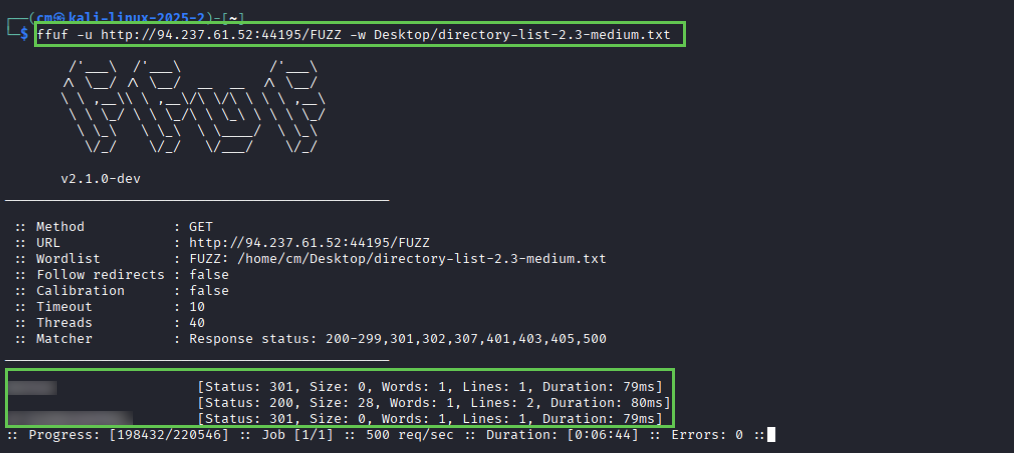
And then validate with cURL:
7.1 Web APIs
A web API (application programming interface) is a set of rules and specifications that enable different software applications to communicate over the web. Essentially, an API is a bridge between a server and client (browser, mobile app) that wants to access or utilize the data.
REST APIs
Representational State Transfer (REST) APIs are popular architecture for building web services. They use a stateless, client-server communication module. These utilize standard HTTP methods (GET, POST, PUT, DELETE) to perform CRUD (Create, Read, Update, Delete) operations on resources. This is typically done in lightweight formats such as JSON or XML.
Example query:
GET /users/123
SOAP APIs
Simple Object Access Protocol (SOAP) APIs follow a more standardized protocol. They use XML to define messages, which are encapsulated in “SOAP envelopes” and transmitted using protocols like HTTP or SMTP. SOAP APIs often include built-in security, reliability and transaction management features.
Example query:
<soapenv:Envelope xmlns:soapenv="http://schemas.xmlsoap.org/soap/envelope/" xmlns:tem="http://tempuri.org/">
   <soapenv:Header/>
   <soapenv:Body>
      <tem:GetStockPrice>
         <tem:StockName>AAPL</tem:StockName>
      </tem:GetStockPrice>
   </soapenv:Body>
</soapenv:Envelope>
GraphQL
GraphQL provides a single endpoint where clients can request data. Introspection makes it easier to evolve APIs over time without breaking exisiting clients.
Example query:
query {
  user(id: 123) {
    name
    email
  }
}
7.2 Identifying Endpoints
REST APIs are built around the concept of resources, identified by unique URLs called endpoints.
Structured as URLs representing the resource you want to access. Ex:
- /users – collection of user resources
- /users/123 – represents a specific user with ID 123
- /products – collection of product resources
- /users?limit=10&sort=name – (query ressouce) show 10 users, sorted by name
- /products/{id}pen_spark – (path parameters) identifies a specific resource
- { “name” : “New Product”, “price” : 99.00 } – sent in body of POST, PUT, PATCH requests
Discovering REST Endpoints and Parameters
- API documentation
- Network Traffic Analysis (burp suite)
- Parameter Name Fuzzing (FFUF, wfuzz)
SOAP APIs rely on XML-based messages and Web Services Description Language (WSDL) files to define their interfaces and operations.
A WSDL file might define an operation called SearchBooks with the following parameters:
- keywords (string): The search term to use
- author (string): The name of the author (optional)
- genre (string): The genre of the book (optional)
<soapenv:Envelope xmlns:soapenv="http://schemas.xmlsoap.org/soap/envelope/" xmlns:lib="http://example.com/library">
   <soapenv:Header/>
   <soapenv:Body>
      <lib:SearchBooks>
         <lib:keywords>cybersecurity</lib:keywords>
         <lib:author>Dan Kaminsky</lib:author>
      </lib:SearchBooks>
   </soapenv:Body>
</soapenv:Envelope>
Discovering SOAP endpoints and paameters
- WSDL analysis – describes available operations (endpoints), Input parameters, output parameters, data types, location (URL) of endpoint
- Network traffic anaylsis
- Fuzzing parameter names and values
7.3 API Fuzzing
I love API testing. It’s an integral part of many web applications, and while it *CAN* be repetitive, there’s something beautiful about the process.
API fuzzing is a specialized form of fuzzing tailored for web APIs. While the core principles of fuzzing are the same – API fuzzing focuses on unique structure and protocols used by APIs.
- Altering parameter values
- Modifying request headers
- Changing the order of parameters
- Introducing unexpected data types or formats
Why fuzz APIs?
- Uncover hidden vulnerabilities
- Test robustness
- Automate security testing
- Simulate real-world attacks
- Parameter fuzzing
- Data format fuzzing
- Sequence fuzzing
PandaSt0rm
git clone https://github.com/PandaSt0rm/webfuzz_api.git
cd webfuzz_api
pip3 install -r requirements
python3 api_fuzzer.py http://IP:PORT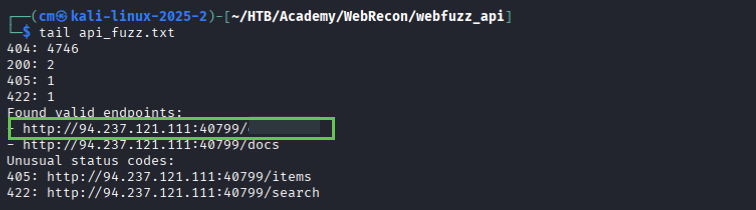

And we got it!

8.1 Skills Assessment
We aren’t given much information – just follow the steps already laid out in the module and that ‘common.txt’ will have everything we need. Starting with FFUF (I did have to re-run this and add the -e extensions flag):
ffuf -u http://IP:PORT/FUZZ -w /usr/share/wordlists/dirb/common.txt -recursion -recursion-depth 3 -e .html,.php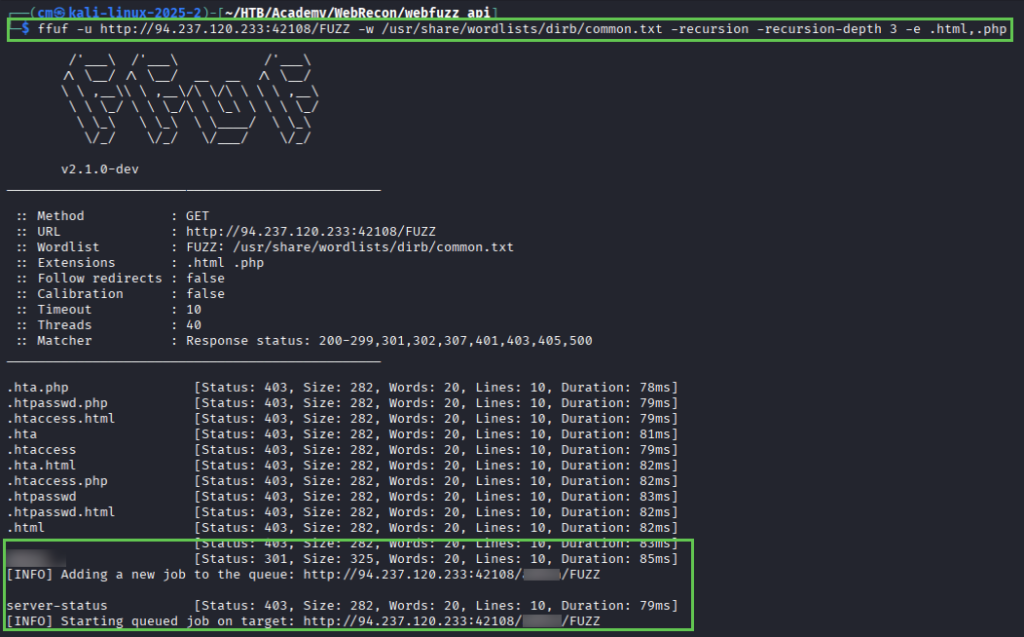
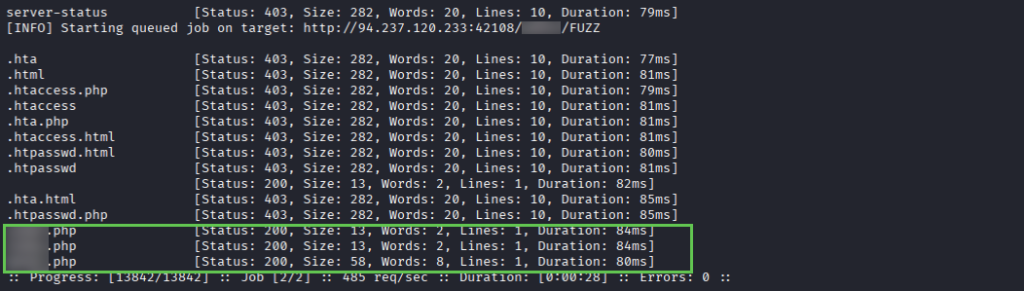
We find a directory and 3 endpoints – cURLing them results in this clue, telling us an invalid parameter
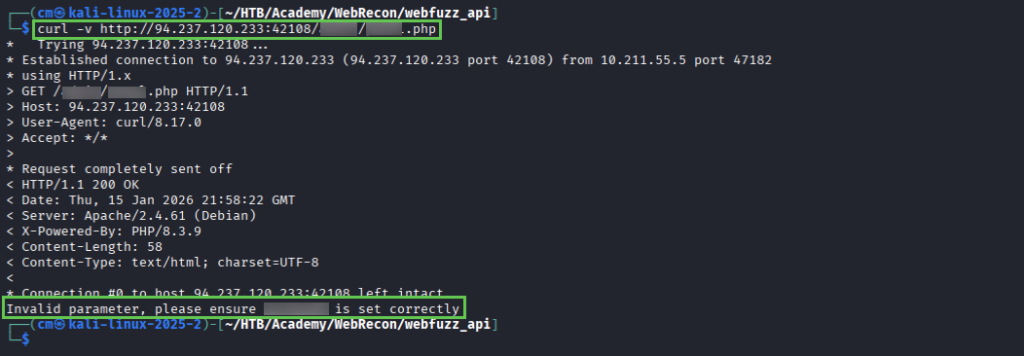
Run FFUF again, fuzzing the directory/page.php?{parameter}=FUZZ gives us a valid parameter to use.
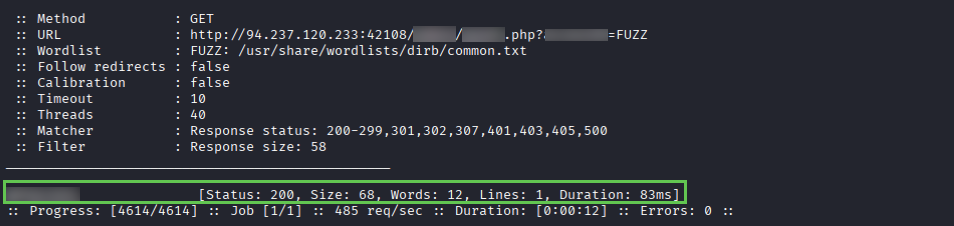
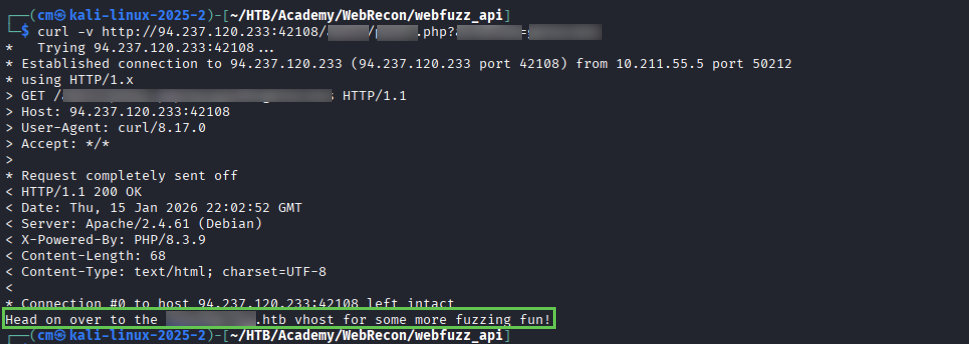
And using cURL we have a hint on where to go next. cURLing the newly discovered endpoint gives us a new hint (not pictured, you get the idea).
We use gobuster to fuzz for vhosts and discover a new endpoint (and add to /etc/hosts).
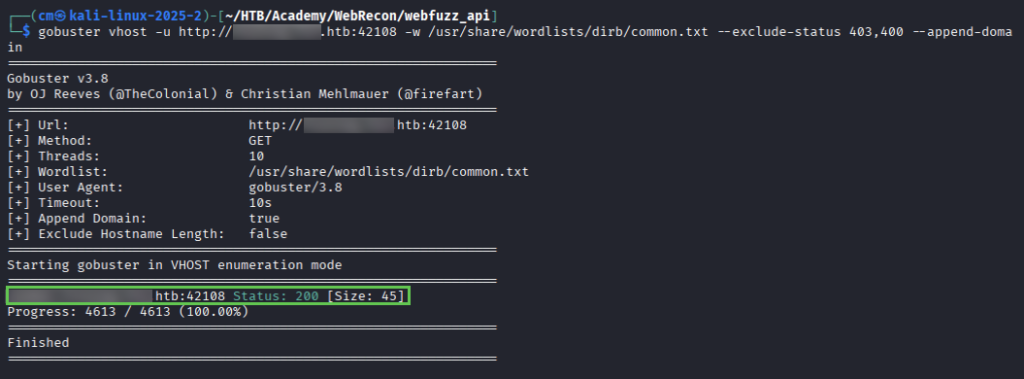
Inspect this in the web browser for a hint, and then another hint 🙂
After using recrusion with our discovered vhost – use at least 3 levels – you will find the page you’re looking for. Inspecting it gives you the flag, and final piece needed to finish the module.
ffuf -u http://vhost.discoveredHost.hth/PORT/directory/FUZZ -w common.txt -recursion -recursion-depth 5 -fc 403,404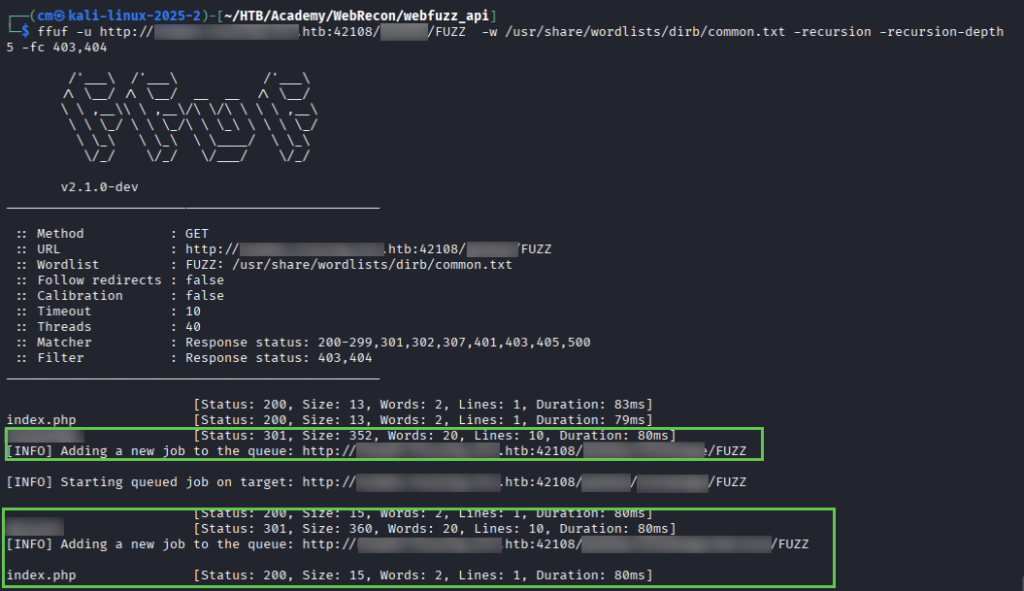

And there you have it! If you finished this module, leave a comment with any tips or hang-ups you experienced.